
The Ultimate Checklist for Securing Your Online Identity and Personal Information

Welcome to the digital age, where our lives are more intertwined with the online world than ever. Our personal information is stored in countless virtual spaces, from social media profiles to online banking accounts. But as convenient as this digital landscape may be, it poses significant risks to our online identity and personal information.
Cybersecurity threats like account takeover are on the rise, making it crucial for individuals like you and me to take proactive steps in securing our online presence. This blog post will provide the ultimate checklist for safeguarding your valuable assets from prying eyes and cybercriminals alike. So grab a cup of coffee and prepare to fortify your digital fortress!
Strong and Unique Passwords
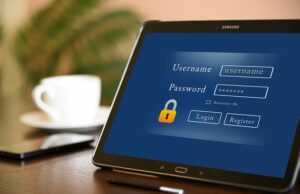 Creating strong and unique passwords is the foundation of online security. Ensure your passwords mix uppercase and lowercase letters, numbers, and special characters. Avoid using common phrases, birthdates, or easily guessable information. Furthermore, use a different password for each online account to prevent a single vulnerability from compromising multiple platforms. Consider using password managers to store and generate complex passwords securely.
Enable Two-Factor Authentication
Two-factor authentication (2FA) provides an additional layer of security by requiring a secondary verification step, typically through a text message, email, or authenticator app. Enable 2FA whenever possible, especially for critical accounts such as email, banking, and social media. This ensures that even if hackers obtain your login credentials, they still need the second factor to gain access.
Regular Software Updates and Security Patches
Keep your devices and software up to date with the latest security patches. Software updates often include fixes for vulnerabilities that hackers exploit. Enable automatic updates whenever possible, ensuring your operating system and applications run the latest secure versions. Regularly update your antivirus software as well, providing additional protection against malware.
Practice Safe Browsing Habits
Exercise caution while browsing the internet to minimize the risk of phishing, malware, and other cyber threats. Be wary of suspicious emails, links, or attachments, especially from unknown senders. Avoid clicking on pop-up ads or visiting untrusted websites. When making online purchases, ensure the website has a secure connection (HTTPS) and look for trust seals or third-party authentication symbols. Securing your online identity and personal information is essential in the digital age. By following the ultimate checklist, you can fortify your online security and minimize the risk of falling victim to cyber threats. Establishing strong and unique passwords, enabling two-factor authentication, regularly updating software and security patches, and practicing safe browsing habits are fundamental to protecting yourself.…
Read more →